Nothing you work with gets lost
Link the roadmap to its requirements. The storyboard to its inspiration. One canvas to the next. Anyone with access can follow the thread.
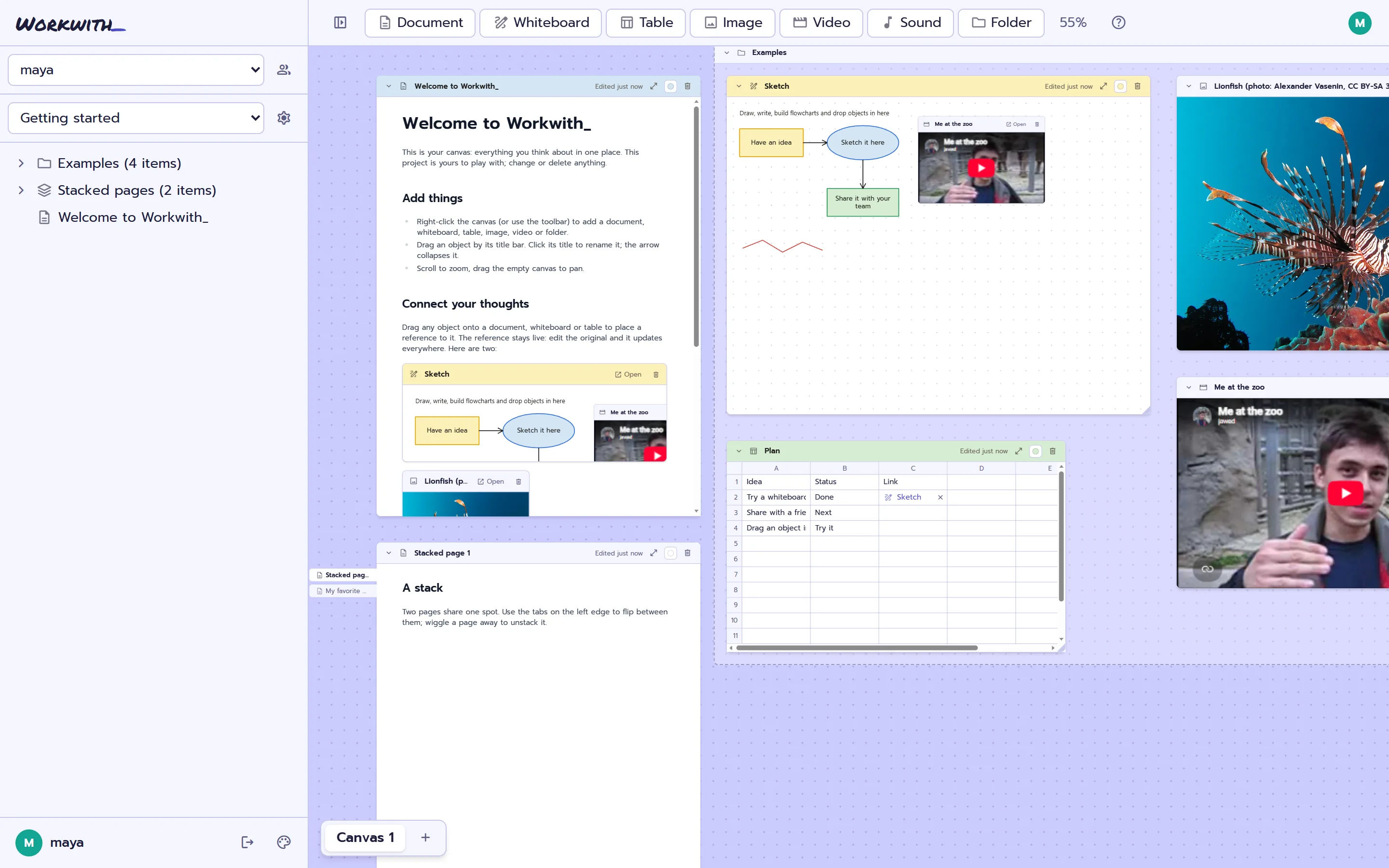
See the sketch inside the plan
Embed a whiteboard in a document. Change the sketch and the plan updates with it.
Friday, 6pm
- Send the invites
- Set up the room like this:
Stack what belongs together
Stack related pages and flip between them with tabs. Folders and the sidebar keep the rest in order.
Point at the exact thing
Tag someone with @ and link an object with #. They click it and land right on it.
Why Workwith_
Somebody on every team knows how it all connects: which doc feeds which plan, where the real spec lives. That knowledge sits in their head, and it leaves when they do. Workwith_ puts the connections on the canvas, so anyone can follow the thread.
-
Share the work, not a copy
Send a view-only link instead of a deck or a zip. Whoever opens it sees the real, current work, no account needed. Turn it off any time.
-
No stale copies
Upload once, reference it anywhere. Every reference shows the original, so nothing goes out of date.
-
Zoom in, keep the rest
Open one document in a side panel and just write. The canvas stays right beside it, so you can drop things straight in.
-
Say it where it belongs
Record a voice note or a short video straight onto the canvas, next to what it's about. No other app, no file to attach.
-
Conversations stay with the work
Comments sit on the object they're about, not in a chat you'll have to scroll back through. Come back in a month and the discussion is still there.
-
Bring everyone
Everyone on a team sees all its projects, and a guest can join just one. Nothing is charged per person.
For projects of every kind
Documents, whiteboards, tables, pictures, video, sound, Figma frames and Jira issues, side by side.
- Research
- Interview notes, sources and recordings side by side, each quote linked to where it came from.
- Client work
- The brief, your sketches and their feedback in one project. Share a view-only link, not a deck.
- A podcast
- Episode outlines, guest notes, the recorded intro and the running order, all in one place.
- Just you
- A notebook where lists, sketches, pictures and voice notes sit next to each other. Nobody else has to join.
What will you workwith_?
| Free | |
|---|---|
| Price | Free |
| People | No limit |
| Storage | 100 MB per team |
| Images | Up to 10 MB each |
| GIFs | Up to 5 MB each |
| Videos | Up to 25 MB each |
| Sound | Up to 10 MB each |
| model | Up to 25 MB each |
| Figma and Jira | Included |
| Version history | Not yet |
No per-seat pricing. Bring the whole team.